Make any architectural model printable.
PrintBIM turns your Revit model into a watertight, correctly scaled STL for your 3D printer. It fills interiors, closes gaps, thickens thin parts and splits the model to fit your bed. Your Revit model is never changed.
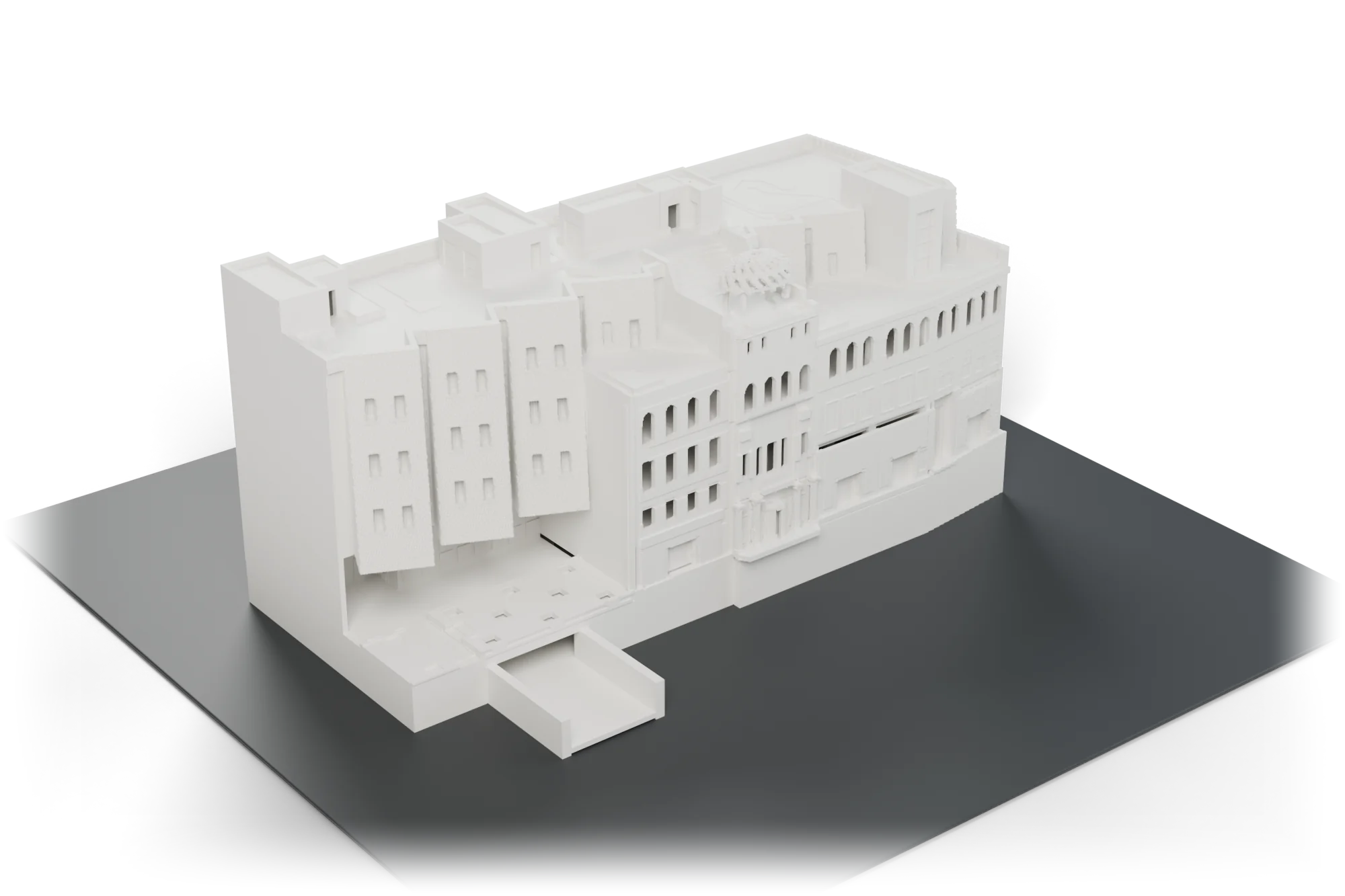
A Revit export looks fine on screen and fails on the printer.
Revit is built for documentation, not for printing. A direct STL export is a pile of overlapping, open surfaces that slicers reject or print badly. Fixing it by hand in Meshmixer or Blender takes hours for every model.
Raw export What usually goes wrong
- Open, overlapping surfaces that slicers can't treat as a solid.
- Walls too thin to print at 1:200: railings, mullions and fins vanish or snap.
- Hairline gaps between walls, floors and roofs leak and split layers.
- Hollow interiors full of furniture, fixtures and hidden geometry.
- Too big for the bed, with no clean way to cut it.
PrintBIM What you get instead
- One closed, watertight solid, checked again after saving.
- Thin parts thickened to your printer's minimum wall, across their thickness only.
- Gaps narrower than two nozzle widths closed automatically.
- Enclosed interiors filled, while courtyards and passages stay open.
- Split into closed, bed-sized parts when the model is too big.
From Revit to slicer in four steps
One window inside Revit. Beginner mode decides everything; Professional mode lets you tune it.
Choose what to print
Building, building + site, or linked models too. Furniture, fixtures and annotations are left out automatically.
Pick printer and scale
Choose a preset such as Bambu Lab, Prusa or Creality, or enter your bed size. "Best fit" chooses the scale for you.
Build and preview
See the print model in 3D with plain-language notes. Every automatic decision has a one-click alternative.
Save the STL
Import it into your slicer at 100%. It is already in millimetres, at your chosen scale.
Everything a printable architectural model needs
Watertight, every time
A single closed solid with no open edges or self-intersections. The saved file is read back and verified before PrintBIM reports success.
Solid interiors
Rooms closed off from outside air are filled, so thin walls don't have to stand alone. Courtyards and passages stay open.
Gaps closed
Hairline joints between walls, floors and roofs narrower than two nozzle widths are sealed, so layers don't split.
Thin parts thickened
Canopies, fins, railings and parapets are grown to your minimum printable wall. Keep them as modelled in one click if you prefer.
Splits to fit your bed
Oversized models are cut on clean grid planes into closed parts, delivered as a ZIP with a parts list.
Sits flat on the bed
Small parts below the lowest floor, such as pits and footings, are trimmed so the model prints without supports underneath.
Printer presets and Best fit
Bambu Lab, Prusa, Creality, Elegoo, Anycubic or a custom bed. Standard architectural scales from 1:20 to 1:5000.
Live 3D preview
Orbit and zoom the print model, highlight thickened parts and closed gaps, and select affected elements back in Revit.
Private and offline
Everything runs on your computer. No uploads, no account needed to use it, and your Revit model is never modified.
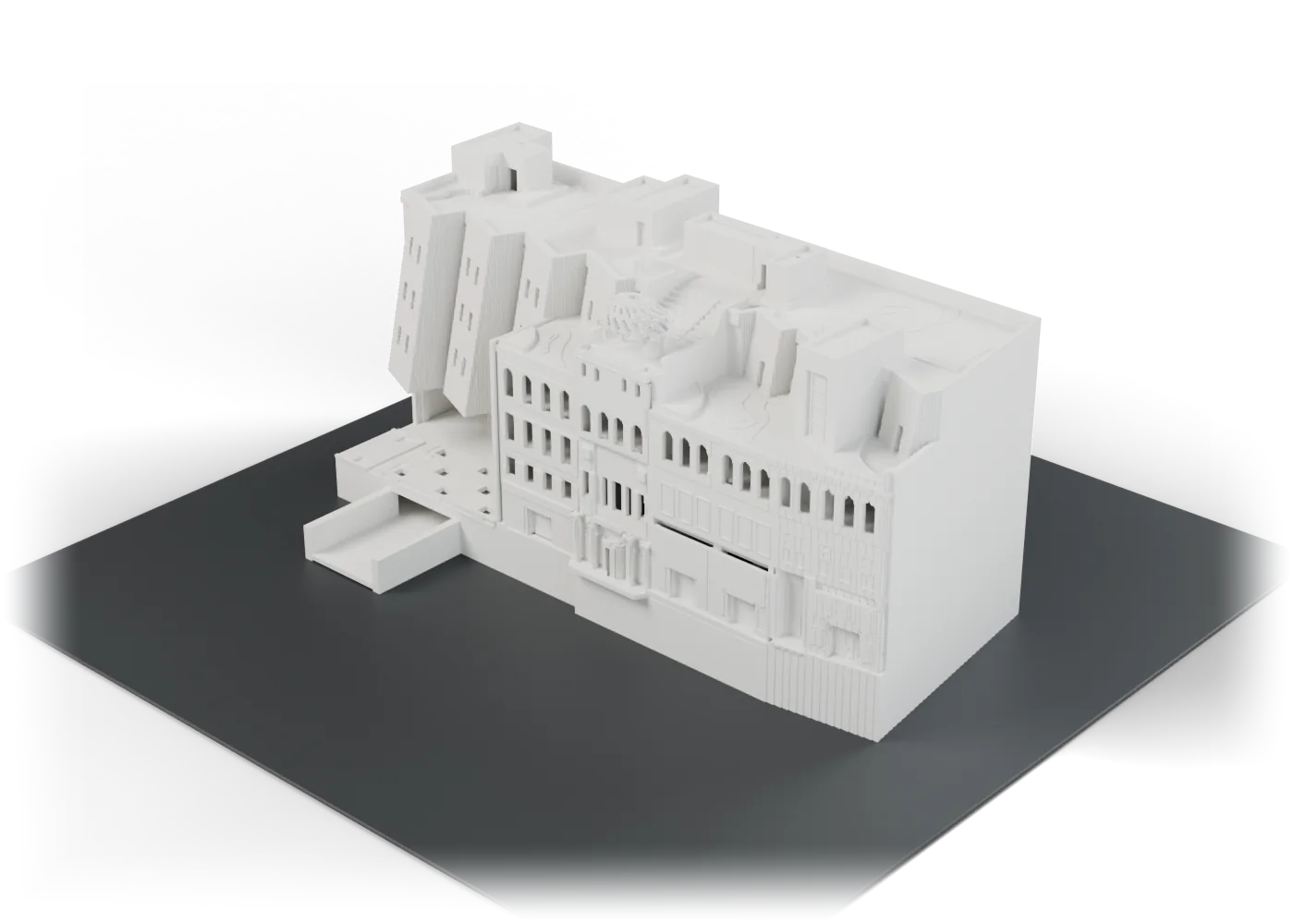
Checked in the slicer, not just on screen
Autodesk's Snowdon Towers sample, exported with PrintBIM at 1:250 for a Bambu Lab A1:
- 224 × 130 × 108 mm, one watertight STL
- Opened in OrcaSlicer at exact size with no repair warnings
- Sliced to 539 layers: about 11 hours and 288 g of PLA
- Linked models and site exported as closed, bed-sized parts
Built for people who make models
Architecture students
Print your studio project the night before review, without learning mesh repair. Free for students.
Architects and studios
Massing and presentation models straight from the working Revit model, as often as the design changes.
Model shops and print bureaus
Accept Revit files from clients and turn them into print-ready parts in minutes instead of hours.
Simple pricing. Your first export is free.
Try every feature on one export, free. No card needed.
Free trial
- Build and preview any model
- Save one STL or part ZIP
- Marked with printbim.com
- No card required
Pro
- One user, all features
- All updates while subscribed
- Email support
Students free · Schools and labs from $490/year · Compare all plans
Questions
Does PrintBIM change my Revit model?
No. PrintBIM only reads the model. The print model is built separately and saved as a new file.
Which printers does it work with?
Any FDM printer that accepts STL: Bambu Lab, Prusa, Creality, Elegoo, Anycubic, Voron and others. Pick a preset or type in your build volume. The STL also works for resin printers.
Which Revit versions are supported?
Autodesk Revit 2026 on Windows 10 or 11. Revit 2027 support is planned next.
Does it work on a Mac?
Revit runs only on Windows, so PrintBIM does too.
How does the free trial work?
Your first export is free, with every feature. It carries a small printbim.com mark cut into the roof and front facade; a licence gives unlimited exports without it. After it you can still build and preview print models; saving more needs a licence.
Do I need an internet connection?
No. PrintBIM and its licence keys work fully offline.
Can I get a refund?
Yes. If PrintBIM doesn't work for you, ask within 14 days of purchase for a full refund. See the refund policy.
Print your next model this week.
Your first export is free, with every feature.